
Connect with us

Business

The Ultimate Guide to Bookkeeping Practice Management Software

Published

on

bookkeeping practice management software​

Running a successful bookkeeping business requires much more than recording financial transactions and preparing reports. Modern bookkeeping firms handle multiple clients, tight deadlines, document sharing, payroll processing, tax preparation, invoicing, and team collaboration every day. Managing these responsibilities manually often leads to missed deadlines, communication gaps, duplicated work, and reduced productivity. This is where bookkeeping practice management software becomes an essential solution for businesses of all sizes.

Bookkeeping practice management software is designed specifically to help bookkeeping professionals organize daily operations, automate repetitive tasks, improve client communication, monitor staff productivity, and centralize important documents in one secure platform. Whether you operate as a solo bookkeeper or manage a large accounting firm, the right software can significantly improve efficiency while allowing your team to spend more time delivering high-quality financial services instead of handling administrative work.

In this comprehensive guide, you’ll learn everything about bookkeeping practice management software, including its features, benefits, automation capabilities, pricing considerations, implementation strategies, and how to choose the perfect solution for your business.

What Is Bookkeeping Practice Management Software?

Bookkeeping practice management software is a centralized platform that helps bookkeeping firms organize every aspect of their operations. Unlike traditional bookkeeping software that focuses mainly on recording financial data, practice management software manages the entire workflow of the business itself.

It includes client onboarding, task assignments, project management, document storage, employee scheduling, workflow automation, billing, invoicing, communication tools, reporting dashboards, and deadline tracking. Instead of switching between multiple applications, firms can manage everything from one integrated platform. This improves collaboration among staff members while ensuring that every client receives consistent, timely, and professional service.

As bookkeeping firms continue to embrace digital transformation, practice management software has evolved into an all-in-one business management solution that enhances operational efficiency and client satisfaction.

Why Bookkeeping Firms Need Practice Management Software

Managing several clients simultaneously can quickly become overwhelming without a structured workflow. Important emails may get buried, client documents become difficult to locate, and deadlines may be overlooked. Bookkeeping practice management software eliminates these challenges by organizing every process into a structured workflow.

The software provides managers with complete visibility into ongoing projects, staff workloads, client requests, and business performance. Instead of relying on spreadsheets or manual tracking systems, firms can automate recurring tasks and receive reminders before deadlines arrive.

Furthermore, clients expect faster communication and secure document sharing. Modern software enables firms to provide online portals where clients can upload files, review reports, approve documents, and communicate directly with their bookkeeping team. This enhances trust while reducing administrative overhead.

Key Features of Bookkeeping Practice Management Software
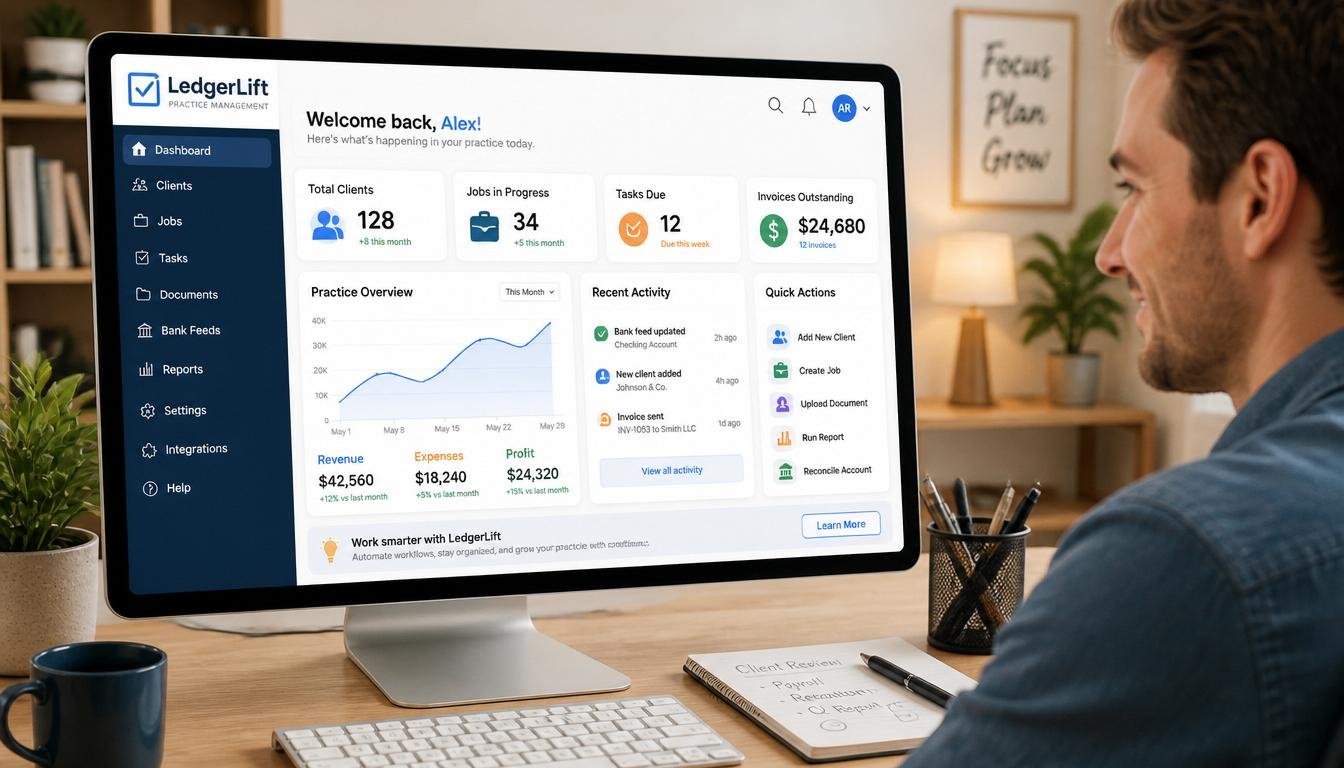
A high-quality bookkeeping practice management solution comes with numerous features that simplify daily operations.

Client Relationship Management

Client management tools store all customer information in one secure location. This includes contact details, financial records, project history, invoices, communication logs, and important deadlines.

Workflow Automation

Automation allows repetitive processes such as recurring bookkeeping tasks, invoice generation, payroll reminders, and document requests to occur automatically without manual intervention.

Task Management

Managers can assign tasks to employees, set deadlines, monitor progress, prioritize work, and ensure every project stays on schedule.

Time Tracking

Employees can accurately record billable hours, making invoicing easier while providing valuable insights into staff productivity.

Document Management

Cloud storage allows firms to securely organize tax documents, financial statements, receipts, contracts, and client files while maintaining version control.

Client Portal

Clients gain secure access to upload documents, download reports, approve requests, and communicate with their bookkeeping team from anywhere.

Reporting Dashboard

Business owners can monitor firm performance using visual reports that track revenue, project completion, staff utilization, outstanding invoices, and client profitability.

Benefits of Bookkeeping Practice Management Software
One of the greatest advantages of bookkeeping practice management software is increased efficiency. Automation eliminates repetitive administrative work, allowing professionals to focus on delivering expert financial advice and bookkeeping services. This leads to higher productivity and better client experiences.

Improved collaboration is another major benefit. Team members can access the same client information, communicate through integrated messaging systems, and work together without confusion. Managers gain complete oversight into project progress, making it easier to allocate resources effectively.

The software also enhances accuracy by reducing human errors commonly associated with manual data entry and spreadsheet management. Automatic reminders help prevent missed deadlines while integrated reporting provides real-time insights into business performance.

Additionally, cloud-based platforms offer flexibility by allowing employees to work remotely while maintaining secure access to client information. This has become increasingly important as hybrid and remote work environments continue to grow.

Cloud-Based vs Desktop Bookkeeping Practice Management Software
Cloud-based solutions have become the preferred choice for many bookkeeping firms due to their accessibility, automatic updates, and lower infrastructure costs. Users can log in from any device with internet access, making collaboration simple regardless of location.

Desktop software, on the other hand, stores data locally and may provide greater control over system customization. However, it often requires manual updates, dedicated hardware, and additional IT maintenance.

For most modern firms, cloud bookkeeping practice management software offers greater flexibility, scalability, and security while reducing long-term operational costs.

How Automation Improves Bookkeeping Operations

Automation has transformed bookkeeping by reducing time-consuming administrative tasks. Instead of manually assigning recurring work each month, the software automatically creates projects, schedules deadlines, notifies employees, and reminds clients to submit required documents.

Invoice generation, payment reminders, payroll scheduling, workflow approvals, and client communications can all be automated. This reduces administrative workload while minimizing human error.

Automation also improves consistency. Every client follows standardized workflows, ensuring that services are delivered using the same quality processes regardless of which employee handles the account.

How to Choose the Best Bookkeeping Practice Management Software
Selecting the right software depends on the size of your firm, budget, and operational requirements. Start by evaluating your current workflow and identifying bottlenecks that reduce productivity.

Look for software that offers workflow automation, task management, document storage, client portals, reporting dashboards, time tracking, invoicing, and integration with popular accounting platforms. Security should also be a top priority, including encrypted data storage, multi-factor authentication, and compliance with industry regulations.

Scalability is equally important. Your software should support business growth without requiring frequent system replacements as your client base expands.

Common Challenges Without Practice Management Software

Bookkeeping firms relying on manual processes often experience inconsistent communication, missed deadlines, duplicate work, lost documents, inefficient staff scheduling, inaccurate billing, and poor visibility into business performance.

As client numbers increase, these challenges become more significant and can negatively impact profitability. Practice management software addresses these issues by centralizing operations and creating standardized workflows that improve consistency across the organization.

Best Practices for Successful Implementation

Successful implementation begins with careful planning. Firms should document existing workflows before migrating to the new platform. Employee training is essential to ensure everyone understands how to use the software effectively.

Start with core features such as client management, task tracking, and document storage before gradually introducing advanced automation capabilities. Regularly review workflow performance and gather employee feedback to optimize processes over time.

Maintaining clean and organized client data from the beginning will maximize reporting accuracy and improve overall system performance.

Future Trends in Bookkeeping Practice Management Software

Artificial intelligence is rapidly becoming a major component of bookkeeping software. AI-powered tools can categorize transactions, predict workload requirements, identify financial anomalies, and generate business insights automatically.

Machine learning continues improving workflow automation by learning user behavior and optimizing recurring processes. Cloud technology is making collaboration faster and more secure, while mobile applications allow bookkeepers to manage client work from virtually anywhere.

Future platforms will likely include deeper integrations with banking systems, advanced analytics, predictive reporting, and intelligent virtual assistants capable of handling many routine bookkeeping tasks.

Conclusion

Bookkeeping practice management software has become an essential investment for firms seeking greater efficiency, improved client service, and long-term growth. By combining workflow automation, task management, secure document storage, client communication, reporting, and business analytics into one integrated platform, these solutions eliminate many of the administrative challenges associated with traditional bookkeeping operations.

Whether you manage a small bookkeeping practice or a large accounting firm, implementing the right software can improve productivity, reduce operational costs, enhance collaboration, and deliver a better experience for both employees and clients. As technology continues evolving, firms that embrace modern practice management solutions will be better positioned to remain competitive in an increasingly digital financial services industry.

Frequently Asked Questions (FAQs)

What is bookkeeping practice management software?

Bookkeeping practice management software is a business management platform that helps bookkeeping firms organize workflows, manage clients, automate repetitive tasks, track deadlines, store documents, monitor employee productivity, and improve collaboration.

Why is bookkeeping practice management software important?

It improves efficiency, reduces manual work, minimizes errors, enhances client communication, automates workflows, and provides better visibility into business performance.

What features should I look for?

Important features include client management, workflow automation, task management, document storage, time tracking, reporting dashboards, billing, invoicing, client portals, and integrations with accounting software.

Is cloud-based bookkeeping practice management software better?

For most firms, cloud-based solutions offer better accessibility, automatic updates, remote collaboration, enhanced security, and easier scalability compared to traditional desktop software.

Can small bookkeeping firms benefit from practice management software?

Yes. Even solo bookkeepers and small firms benefit from automation, organized workflows, secure document management, and improved client communication, helping them save time and grow more efficiently.

Does bookkeeping practice management software integrate with accounting platforms?

Most modern solutions integrate with popular accounting platforms, payroll systems, CRM tools, payment gateways, cloud storage services, and productivity applications, creating a seamless workflow.

How does automation help bookkeeping firms?

Automation reduces repetitive tasks such as recurring project creation, invoice generation, payment reminders, deadline notifications, document requests, and workflow approvals, allowing professionals to focus on higher-value work.

Is bookkeeping practice management software secure?

Reputable providers use encryption, secure cloud infrastructure, regular backups, user permissions, audit logs, and multi-factor authentication to protect sensitive financial data.

How much does bookkeeping practice management software cost?

Pricing varies depending on the provider, features, number of users, and deployment model. Many vendors offer monthly subscription plans that scale with the size of your firm.

How do I choose the best bookkeeping practice management software?

Evaluate your firm’s workflow, identify required features, compare integrations, assess security standards, consider scalability, request demos or free trials, and select a solution that aligns with your operational goals and budget.

Continue Reading

Business

Fordito: The Complete Guide to AI Translation Software for Businesses

Published

on

fordito

In today’s digital economy, businesses operate across borders, languages, and cultures more than ever before. Whether a company is expanding into international markets, managing multilingual customer support, translating legal documents, or localizing marketing campaigns, effective communication has become one of the most valuable assets for success. This growing demand has created a need for intelligent translation platforms that combine speed, accuracy, scalability, and ease of use. Fordito is a modern AI-powered translation software designed to help businesses bridge language barriers efficiently. Instead of relying solely on manual translation processes that can be time-consuming and expensive, Fordito leverages artificial intelligence and automation to deliver high-quality translations for organizations of all sizes. This comprehensive guide explains everything you need to know about Fordito, including its features, benefits, applications, advantages, limitations, and why it is becoming an increasingly valuable solution for businesses seeking global communication.

What Is Fordito?

Fordito is an AI-powered translation software developed to simplify multilingual communication for businesses and organizations. It enables companies to translate documents, websites, emails, product descriptions, customer support materials, and other business content into multiple languages with speed and consistency. By combining machine learning, artificial intelligence, and language processing technologies, Fordito helps organizations reduce translation costs while maintaining quality and improving workflow efficiency.

Unlike traditional translation methods that often require manual intervention at every stage, Fordito automates significant portions of the translation process while allowing human reviewers to refine content when necessary. This hybrid approach improves productivity without sacrificing accuracy, making it suitable for businesses operating in competitive international markets.

Key Features of Fordito

Fordito includes a wide range of features that support professional translation workflows. AI-powered translation technology allows users to generate translations quickly while continuously improving accuracy through machine learning. Businesses can translate documents in multiple file formats, reducing the need to copy and paste content between applications. The software supports website localization, helping organizations reach international audiences without rebuilding their websites for every language. Fordito also offers terminology management, ensuring that company-specific words, brand names, and industry terminology remain consistent across every translation. Collaborative editing allows multiple team members to review translations simultaneously, improving quality assurance and reducing project completion times. Cloud-based accessibility enables remote teams to work from anywhere while maintaining secure access to translation projects and business documents.

How Fordito Works

Fordito begins by analyzing the original content using advanced natural language processing algorithms. The AI identifies sentence structure, grammar, terminology, and contextual meaning before generating an initial translation. Instead of translating individual words independently, the system evaluates the complete sentence to preserve meaning and readability. Users can review the generated translation, make adjustments if necessary, and save approved terminology for future projects. Over time, the software learns from previous corrections, enabling it to deliver increasingly accurate translations for similar content. This continuous learning process improves efficiency and creates more consistent multilingual communication across an organization.

Benefits of Using Fordito

Businesses that adopt Fordito gain numerous advantages beyond faster translation speeds. One of the biggest benefits is improved productivity, as employees spend significantly less time translating repetitive documents. Cost savings are another major advantage because automated translation reduces dependence on expensive manual translation services for routine projects. Fordito also enhances consistency by maintaining standardized terminology throughout every document, preventing confusion caused by inconsistent translations. Faster turnaround times enable businesses to launch products in international markets more quickly, respond to customer inquiries in multiple languages, and publish localized content without lengthy delays. Improved scalability allows organizations to handle thousands of translation requests as they grow, making Fordito a valuable long-term investment for expanding businesses.

Who Should Use Fordito?

Fordito is suitable for a wide range of users and industries. Small businesses expanding internationally can use the platform to translate marketing materials and customer communications without hiring large translation teams. E-commerce companies benefit by localizing product descriptions, online stores, and customer support documentation for global customers. Marketing agencies use Fordito to create multilingual advertising campaigns while maintaining consistent brand messaging. Educational institutions translate learning materials for international students, while healthcare organizations use professional translation workflows to improve communication with diverse patient populations. Legal firms, software companies, financial organizations, travel agencies, and multinational corporations can all benefit from Fordito’s AI-powered translation capabilities.

Fordito for Business Growth

Global expansion depends heavily on clear communication. Companies entering international markets must translate websites, contracts, product manuals, customer support resources, legal documentation, and marketing campaigns. Fordito simplifies this process by centralizing translation management within one platform. Businesses can launch multilingual websites faster, provide localized customer experiences, improve search engine visibility in different languages, and strengthen relationships with international customers. The ability to communicate naturally in multiple languages increases customer trust, enhances brand reputation, and creates new opportunities for revenue growth in global markets.

Fordito vs Traditional Translation Methods

Traditional translation methods often involve lengthy workflows where documents are manually translated, reviewed, revised, and approved by multiple individuals. Although professional human translators provide excellent quality, this approach can become expensive and slow for large-scale projects. Fordito accelerates the translation process by automating initial translations while allowing human reviewers to focus on refinement and quality assurance. This hybrid workflow significantly reduces project completion times while maintaining professional standards. Businesses handling high volumes of multilingual content often achieve better efficiency and lower operational costs using Fordito compared to relying exclusively on traditional translation services.

SEO Benefits of Translating Content with Fordito

Businesses seeking international search engine visibility can use Fordito to support multilingual SEO strategies. Translating website content into multiple languages allows organizations to target keywords relevant to different regions and markets. Localized content improves user engagement, reduces bounce rates, and increases the likelihood of ranking in regional search engine results. Fordito helps maintain consistent terminology and accurate translations, which contributes to a better user experience and stronger brand credibility. When combined with localized keyword research and proper technical SEO implementation, multilingual content can significantly increase organic traffic from international audiences.

Advantages of Fordito

Fordito offers numerous advantages for modern businesses. It delivers rapid AI-powered translations, supports multiple languages, reduces translation expenses, improves workflow efficiency, enables team collaboration, maintains terminology consistency, provides cloud accessibility, scales easily for growing organizations, enhances multilingual customer communication, and supports international business expansion. These strengths make it an attractive solution for companies seeking to streamline translation operations while maintaining high-quality multilingual content.

Limitations of Fordito

Although Fordito offers impressive capabilities, users should understand that AI-generated translations may still require human review for highly specialized industries such as medicine, law, scientific research, or complex technical documentation. Cultural nuances, idiomatic expressions, and creative marketing content sometimes benefit from professional editing to ensure the message resonates naturally with local audiences. Businesses should treat AI translation as a productivity tool rather than a complete replacement for expert human translators in situations requiring maximum linguistic precision.

Best Practices for Using Fordito

Organizations can maximize the value of Fordito by developing consistent terminology databases, reviewing AI-generated translations before publication, maintaining brand-specific style guides, regularly updating translation memories, training employees on multilingual workflows, and integrating translation processes into broader content management strategies. Combining AI automation with professional quality assurance creates the most reliable results for international business communication.

Conclusion

Fordito represents the next generation of AI-powered translation software designed to help businesses communicate effectively across languages and cultures. By combining artificial intelligence, automation, and collaborative translation workflows, it enables organizations to reduce costs, accelerate multilingual content creation, and improve consistency across every communication channel. Whether a business is expanding internationally, localizing websites, translating product information, or improving customer support, Fordito provides the tools needed to simplify complex translation workflows. As globalization continues to reshape commerce, adopting intelligent translation technology like Fordito can become a strategic advantage that supports sustainable international growth, stronger customer relationships, and long-term business success.

Frequently Asked Questions (FAQs)

1. What is Fordito?

Fordito is an AI-powered translation software that helps businesses translate documents, websites, emails, and other content into multiple languages quickly and efficiently.

2. Who can use Fordito?

Fordito is designed for businesses, marketing agencies, e-commerce companies, educational institutions, healthcare providers, legal firms, software companies, and organizations that require multilingual communication.

3. Does Fordito support multiple languages?

Yes. Fordito is built to support multilingual translation workflows, allowing businesses to communicate with customers in different languages.

4. Is Fordito suitable for professional business use?

Yes. It is intended for business translation, website localization, document management, and multilingual collaboration, although highly specialized content should still be reviewed by human experts.

5. Can Fordito improve international SEO?

Yes. Translating and localizing website content into multiple languages can help businesses target international audiences and improve visibility in regional search engine results.

6. Is AI translation better than human translation?

AI translation is much faster and more cost-effective for many business tasks, while human translators remain valuable for highly technical, legal, medical, and creative content that requires cultural nuance.

7. What industries benefit most from Fordito?

Industries including e-commerce, education, healthcare, finance, legal services, technology, travel, manufacturing, and digital marketing can benefit from AI-powered translation software like Fordito.

8. Why should businesses choose Fordito?

Businesses choose Fordito because it improves translation speed, reduces operational costs, enhances multilingual communication, supports global expansion, and increases productivity through AI-driven automation.

Continue Reading

Business

What Time Is It in Guam Right Now? Live Guam Time & Complete Time Zone Guide

Published

on

what time is it in guam right now

If you have ever searched “What time is it in Guam right now?”, chances are you need accurate local time for travel, business meetings, online gaming, military communication, international phone calls, or simply staying connected with friends and family living on the island. Guam is one of the westernmost territories of the United States and serves as an important gateway between Asia and the Pacific. Because of its unique geographic location, Guam operates in a time zone that is very different from the continental United States and many other countries. Understanding Guam’s local time can help prevent scheduling mistakes, missed meetings, and confusion when coordinating across multiple regions.

Many people assume that because Guam is a U.S. territory, it follows the same time zones as states such as California or New York. However, Guam is thousands of miles away in the western Pacific Ocean and follows its own official time standard. Whether you are planning a vacation, scheduling an international business conference, or simply curious about Guam’s current time, this guide explains everything you need to know.

Where Is Guam Located?

Guam is an unincorporated territory of the United States located in the western Pacific Ocean. It is the largest and southernmost island in the Mariana Islands chain. Despite being politically connected to the United States, Guam is geographically much closer to countries like Japan, the Philippines, South Korea, Taiwan, and Australia than to mainland America.

Because of this location, Guam serves as a strategic center for tourism, international business, shipping, military operations, and air travel throughout the Asia-Pacific region. Every day, businesses, travelers, and government agencies coordinate activities across multiple time zones, making accurate knowledge of Guam’s local time especially important.

What Time Zone Does Guam Use?

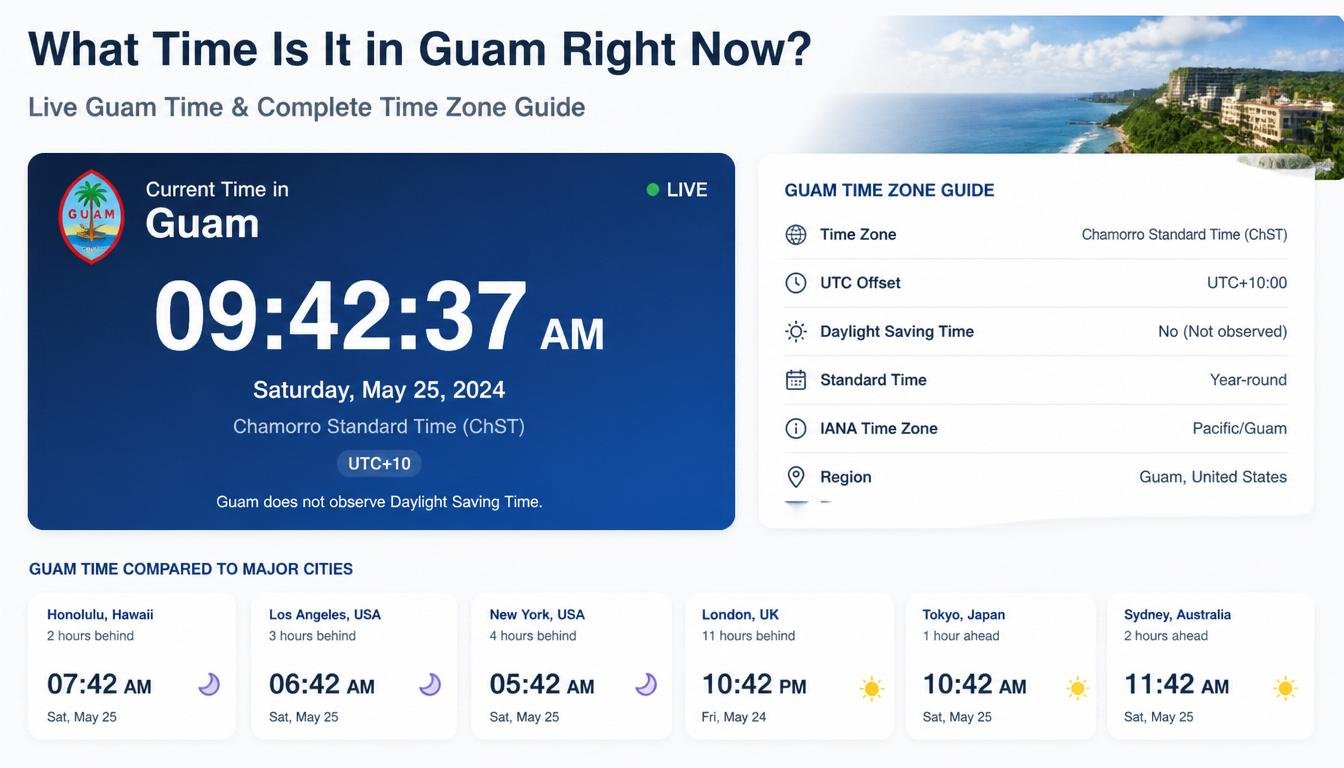
Guam follows Chamorro Standard Time (ChST).

The official UTC offset is:

UTC +10:00

This means Guam is ten hours ahead of Coordinated Universal Time. Unlike many countries, Guam maintains the same time throughout the entire year.

Its stable time zone makes scheduling easier because there are no seasonal clock changes to consider.

Does Guam Observe Daylight Saving Time?

One of the most common questions after asking about Guam’s current time is whether the island changes its clocks during the year.

The answer is no.

Guam does not observe Daylight Saving Time (DST). The clocks remain exactly the same throughout all twelve months of the year.

This consistency offers several advantages. Businesses never have to adjust work schedules twice each year, travelers experience fewer timing mistakes, and international communication becomes easier because Guam’s UTC offset remains constant.

Why People Search “What Time Is It in Guam Right Now”

Millions of searches related to Guam time occur every year because different groups of people rely on accurate local time for different purposes.

International travelers need to know the current time before booking flights or planning itineraries. Military personnel often coordinate operations involving Guam because of its strategic importance. Business professionals schedule meetings with partners throughout Asia and the Pacific. Families with relatives living on the island also search Guam’s current time before making phone or video calls.

Students, gamers, remote workers, researchers, and journalists frequently look up Guam’s local time as well.

Time Difference Between Guam and Other Countries

One reason Guam’s current time generates significant search traffic is because people want to compare it with other regions.

Examples include:

  • United States (Eastern Time)
  • United States (Pacific Time)
  • United Kingdom
  • India
  • Pakistan
  • Australia
  • Japan
  • Philippines
  • Singapore
  • South Korea

Since each country follows different UTC offsets and some observe Daylight Saving Time, the exact time difference may vary throughout the year.

Why Guam’s Time Zone Is Important

Guam occupies an important position within the Asia-Pacific region. The island hosts major military installations, international airports, cargo shipping routes, tourism industries, educational institutions, and multinational businesses.

Accurate local time is essential for:

  • International business meetings
  • Flight departures
  • Online conferences
  • Government communication
  • Military coordination
  • International customer support
  • Financial markets
  • Live events

Even a one-hour scheduling mistake can lead to missed appointments or delayed operations.

How to Check the Current Time in Guam

The easiest way to verify Guam’s exact local time is by using a trusted world clock service or your smartphone’s world clock feature. Most modern operating systems allow users to add Guam alongside other international cities for instant reference.

Travelers can also configure Guam as a secondary time zone on laptops, tablets, and smartwatches to simplify trip planning and communication.

Interesting Facts About Guam’s Time Zone

Guam is among the first U.S. territories to begin a new calendar day because of its location near the International Date Line. While people in parts of the continental United States are still in the previous day, Guam may already be experiencing the next morning.

Its consistent UTC+10 schedule also makes it one of the easiest international time zones to manage because there are no daylight saving adjustments.

Business Benefits of Knowing Guam Time

Companies operating internationally often coordinate customer support, logistics, aviation, shipping, software development, and remote teams across multiple countries. Knowing Guam’s exact local time helps reduce scheduling conflicts, improves customer communication, and ensures projects remain on schedule.

Global organizations frequently include Guam in their world clock dashboards to simplify planning across Asia and the Pacific.

Travel Tips

Before traveling to Guam, adjust your devices to the local time zone as soon as you arrive. This helps minimize jet lag and keeps transportation schedules accurate. Booking hotels, tours, and airport transfers also becomes easier when your devices automatically display Guam’s local time.

Conclusion

Searching “What time is it in Guam right now” is about more than simply checking the hour. Understanding Guam’s location, Chamorro Standard Time (ChST), UTC+10 offset, and year-round schedule without Daylight Saving Time can help travelers, businesses, students, and families communicate more effectively. Whether you’re planning an international trip, organizing a virtual meeting, or staying in touch with loved ones, knowing Guam’s time zone ensures smoother coordination and fewer scheduling errors.

Frequently Asked Questions

1. What time zone is Guam in?

Guam follows Chamorro Standard Time (ChST).

2. What is Guam’s UTC offset?

Guam uses UTC+10:00 throughout the year.

3. Does Guam observe Daylight Saving Time?

No. Guam does not change its clocks for Daylight Saving Time.

4. Why is Guam ahead of many countries?

Guam is located in the western Pacific Ocean, close to the International Date Line.

5. Is Guam part of the United States?

Yes. Guam is an unincorporated territory of the United States.

6. How can I check the current time in Guam?

Use your phone’s world clock, a reliable online world clock, or your operating system’s clock settings.

7. Why do businesses need Guam’s local time?

To schedule meetings, customer support, shipping, aviation, and remote work across international time zones.

8. Is Guam’s time the same all year?

Yes. Since there is no Daylight Saving Time, Guam’s official time remains unchanged throughout the year.

9. What is Chamorro Standard Time?

Chamorro Standard Time (ChST) is Guam’s official time zone, set at UTC+10:00.

10. Why do people search “What time is it in Guam right now”?

Common reasons include travel planning, international business, military coordination, online meetings, gaming, and staying connected with family or friends in Guam.

Continue Reading

Business

Single Member LLC Operating Agreement: Complete Guide for Business Owners

Published

on

single member llc operating agreement

Starting a Limited Liability Company (LLC) is one of the smartest ways to protect your personal assets while running a business. Although many entrepreneurs choose to operate as a single-member LLC because of its simplicity and flexibility, one document is often overlooked—the Single Member LLC Operating Agreement. Many new business owners mistakenly believe that an operating agreement is only necessary for companies with multiple members. In reality, having a well-written operating agreement is beneficial even if you are the only owner of your LLC. It establishes the legal structure of your business, outlines how it will operate, demonstrates that your company is separate from you personally, and can help strengthen your liability protection if legal disputes arise. Banks, investors, and government agencies may also request this document before allowing certain business activities. This comprehensive guide explains everything you need to know about a single member LLC operating agreement, including its purpose, benefits, essential clauses, legal requirements, drafting process, common mistakes, and answers to frequently asked questions.

What Is a Single Member LLC Operating Agreement?

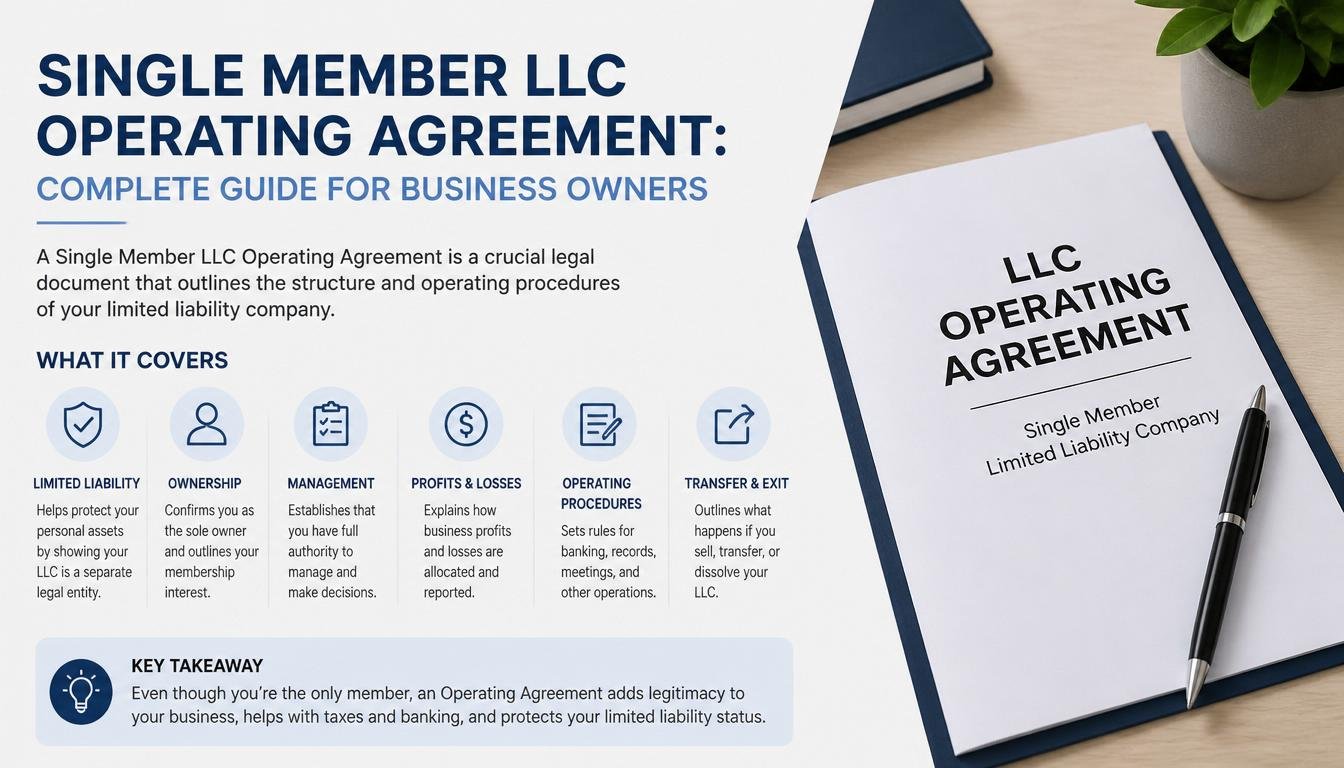
A Single Member LLC Operating Agreement is a legal document that defines how a limited liability company with only one owner will operate. Unlike partnerships or corporations, a single-member LLC has just one individual who owns and manages the business. Even though there are no partners to establish rules with, an operating agreement provides official documentation that separates the business from the owner’s personal affairs. This document outlines ownership, management authority, financial procedures, tax elections, decision-making authority, business records, and procedures for dissolving the company if necessary. Having a detailed operating agreement demonstrates professionalism and provides evidence that the LLC operates as a legitimate legal entity.

Why Is a Single Member LLC Operating Agreement Important?

Many entrepreneurs ask whether they really need an operating agreement when they are the only owner. The answer is yes. While some states do not legally require one, preparing an operating agreement offers significant advantages that protect your business in the long run.

First, it reinforces the legal separation between your personal finances and your company’s assets. This separation is essential for maintaining the limited liability protection that an LLC provides. Second, financial institutions frequently ask for an operating agreement before approving business loans or opening business bank accounts. Third, if legal disputes arise, courts often view a written operating agreement as evidence that the LLC is operating independently from its owner. Finally, if you decide to bring in investors, transfer ownership, or sell the business in the future, the operating agreement serves as a valuable reference document.

Key Components of a Single Member LLC Operating Agreement

An effective operating agreement should include several important sections that clearly define how the business operates.

Business Information

The document should identify the legal name of the LLC, principal business address, formation date, registered agent, and state of organization. This information establishes the identity of the company and confirms its legal existence.

Ownership

This section states that the LLC has only one member and identifies that individual as the sole owner. It may also specify the owner’s initial capital contribution and ownership interest.

Management Structure

The agreement should indicate whether the LLC is managed directly by the owner or by a designated manager. Most single-member LLCs are member-managed, meaning the owner controls daily operations and business decisions.

Capital Contributions

This section explains the money, property, or assets contributed by the owner to establish or operate the business. It also outlines procedures for future contributions if additional funding is required.

Profit and Loss Allocation

Since there is only one owner, all profits and losses generally belong to that individual. The agreement should specify how income will be distributed and how tax obligations will be handled.

Record Keeping

Maintaining organized financial records, tax documents, contracts, and business licenses is essential. The agreement should describe the company’s record-keeping practices and accounting methods.

Dissolution

The operating agreement should include procedures for voluntarily closing the business, paying outstanding debts, distributing remaining assets, and filing any required documents with state authorities.

How to Write a Single Member LLC Operating Agreement

Creating an operating agreement is simpler than many entrepreneurs expect. Begin by identifying the LLC and confirming that you are the sole owner. Next, describe the company’s purpose and business activities. Include provisions for management authority, financial contributions, accounting procedures, tax treatment, and ownership rights. Add sections explaining record retention, amendments, dissolution procedures, and any state-specific legal requirements. Finally, sign and date the agreement and store it with your important business documents.

Although many free templates are available online, customizing the agreement to reflect your business operations is always recommended. Businesses with unique ownership structures or specialized industries may benefit from consulting a business attorney.

Benefits of Having a Written Operating Agreement

A professionally prepared operating agreement provides numerous advantages beyond simple legal compliance. It helps preserve limited liability protection, demonstrates organizational professionalism, simplifies financial transactions, supports tax reporting, facilitates business expansion, and establishes clear operating procedures. Even though the owner makes all business decisions, documenting these procedures reduces confusion and provides valuable evidence if disputes occur with creditors, government agencies, or future business partners.

Common Mistakes to Avoid

Many single-member LLC owners either fail to create an operating agreement or rely on incomplete templates that omit important provisions. Other common mistakes include failing to update the agreement after major business changes, mixing personal and business finances, neglecting state-specific legal requirements, and forgetting to sign or date the document. These errors can weaken liability protection and create unnecessary legal complications.

Single Member LLC Operating Agreement Template Overview

A basic operating agreement generally includes the following sections:

  • Company Information
  • Sole Member Information
  • Business Purpose
  • Management Structure
  • Capital Contributions
  • Profit Distribution
  • Tax Classification
  • Banking Procedures
  • Record Keeping
  • Liability Protection
  • Amendment Procedures
  • Dissolution Process
  • Signature Page

These sections provide the framework for a legally organized business document.

Is an Operating Agreement Required by Law?

Requirements vary depending on the state where the LLC is formed. Some states require all LLCs to maintain an operating agreement, while others simply recommend having one. Even in states where the document is optional, creating one remains highly advisable because it supports liability protection, business credibility, and operational consistency.

Tips for Maintaining Your Operating Agreement

An operating agreement should not remain static forever. Review the document regularly, particularly after significant business events such as changing your business address, adding new assets, electing a different tax classification, hiring professional managers, or preparing the business for sale. Keeping the agreement current ensures that it accurately reflects how the company operates.

Conclusion

A Single Member LLC Operating Agreement is one of the most valuable documents a business owner can prepare. While it may seem unnecessary for an LLC with only one owner, it provides essential legal protection, establishes operational procedures, strengthens the separation between personal and business assets, and enhances the company’s credibility with banks, investors, and government agencies. Whether your state requires an operating agreement or not, creating a detailed and customized document is a wise investment that supports the long-term success of your business. By understanding the key components, following best drafting practices, and keeping the agreement updated as your business evolves, you can operate with greater confidence and professionalism.

Frequently Asked Questions (FAQ)

What is a Single Member LLC Operating Agreement?

A Single Member LLC Operating Agreement is a legal document that outlines the ownership, management, financial procedures, and operational rules for an LLC with only one owner.

Is an operating agreement required for a single-member LLC?

The requirement depends on state law. Even when it is not legally required, having an operating agreement is strongly recommended because it helps preserve liability protection and supports business operations.

Can I write my own operating agreement?

Yes. Many business owners prepare their own operating agreements using templates. However, businesses with complex legal or financial circumstances should consider obtaining professional legal advice.

Does an operating agreement need to be notarized?

In most states, notarization is not required. Nevertheless, signing and safely storing the document is considered good business practice.

Can I change my operating agreement later?

Yes. A single-member LLC owner may amend the operating agreement whenever business circumstances change. Updated versions should be signed and dated for accurate record-keeping.

Do banks require an operating agreement?

Many banks request an operating agreement when opening a business checking account or applying for financing because it verifies ownership and management authority.

What happens if I don’t have an operating agreement?

Operating without an agreement can make it more difficult to demonstrate that your LLC is separate from your personal affairs. This may complicate legal disputes, banking relationships, and future business transactions.

Continue Reading

Trending