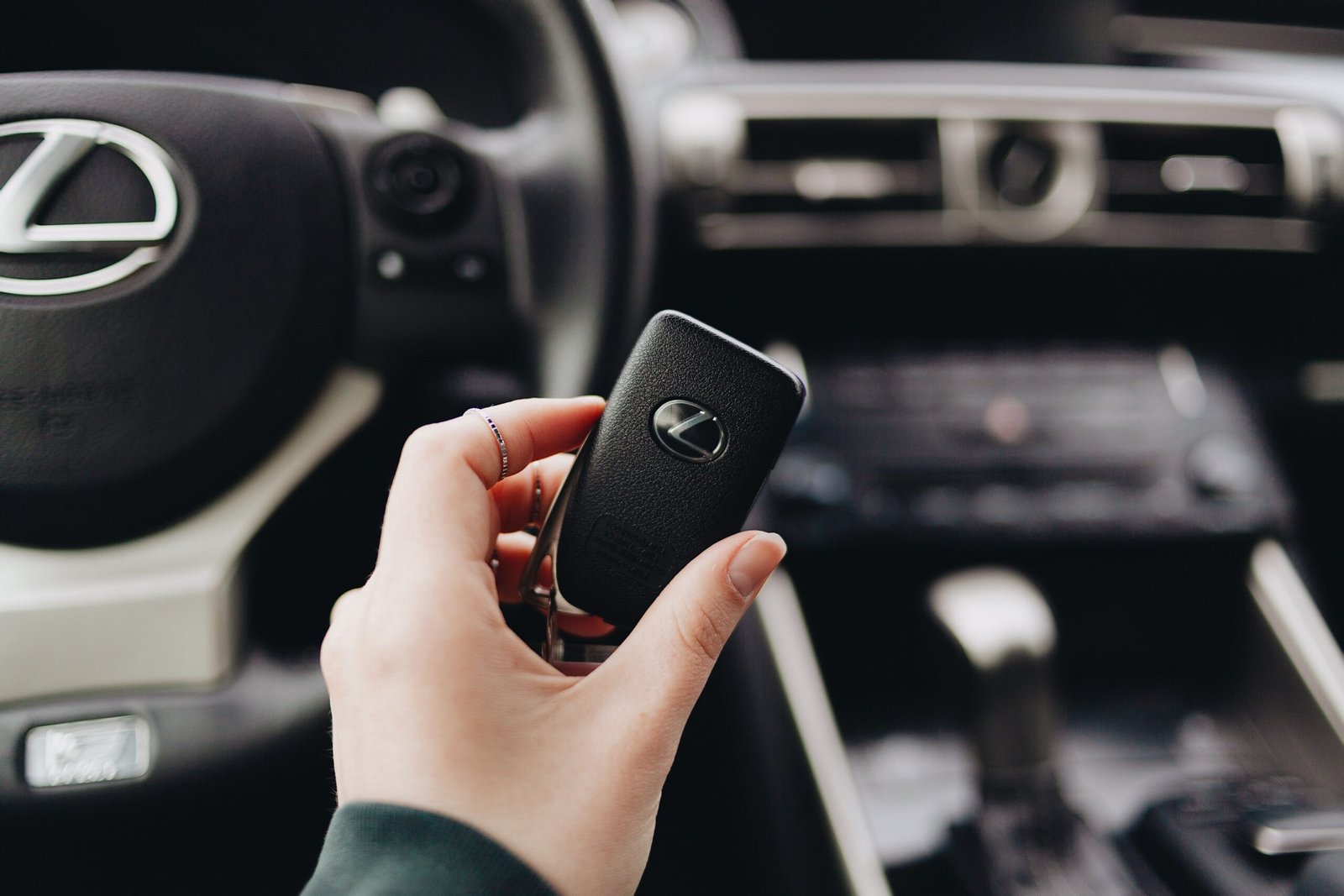
The Lexus IS key fob battery is a small component, but it plays an important role in the everyday operation of your vehicle. When the battery begins to lose its charge, you may notice that the buttons do not respond as quickly as they once did, the vehicle becomes harder to unlock remotely, or the smart-entry functions become inconsistent. In some cases, the key fob may appear to stop working altogether, even though the vehicle itself has no mechanical or electrical problem. Fortunately, replacing the battery in a Lexus IS key fob is generally a straightforward maintenance task, and understanding the correct battery type and replacement procedure can help you avoid unnecessary trips to a dealership or automotive shop.
The exact Lexus IS key fob battery specification can vary depending on the model year, key design, and market, so owners should verify the battery already installed in their particular key before purchasing a replacement. Many Lexus smart keys use a small coin-cell battery, but the precise battery number should be confirmed from the owner’s manual, the markings on the existing battery, or reliable vehicle-specific documentation. Once you have the correct replacement, opening the key fob carefully, removing the old battery, installing the new one in the correct orientation, and testing the buttons are usually all that is required. This guide explains the process, common warning signs, troubleshooting steps, and answers to frequently asked questions about Lexus IS key fob batteries.
What Is a Lexus IS Key Fob Battery?
A Lexus IS key fob battery is the small power source inside the remote or smart key that allows the key to communicate wirelessly with the vehicle. Depending on the equipment fitted to the vehicle, the key fob may control functions such as locking and unlocking the doors, opening the trunk, activating the panic alarm, and supporting the vehicle’s smart-entry or push-button-start functions. Because the key fob communicates electronically rather than through a traditional mechanical connection alone, a weak battery can gradually affect its range and responsiveness.
It is important to understand that the key fob battery is separate from the Lexus IS vehicle battery. Replacing the coin-cell battery inside the key does not recharge or replace the car’s 12-volt battery. Similarly, a weak key fob battery does not necessarily mean that there is a problem with the vehicle’s electrical system. If your Lexus starts normally but the remote buttons are becoming unreliable, the key fob battery is one of the first things worth checking.
Signs Your Lexus IS Key Fob Battery Is Weak
One of the most common signs of a weak Lexus IS key fob battery is reduced operating range. You might previously have been able to lock or unlock the vehicle from a reasonable distance, but now you may need to stand closer to the car or press the button several times. This gradual loss of range is often an early indication that the coin-cell battery is approaching the end of its useful life. Another common symptom is intermittent operation, where the key works correctly at one moment but fails to respond shortly afterward.
Other symptoms can include the vehicle displaying a low-key-battery warning, difficulty using touch-based smart-entry features, or the key fob buttons failing to produce any response. However, a key fob that does not work is not automatically proof that the battery is dead. Physical damage, moisture, worn buttons, internal circuit-board problems, or interference can also cause problems. For that reason, replacing the battery is a sensible first troubleshooting step, but persistent problems after a fresh battery has been installed may require additional diagnosis.
What Battery Does a Lexus IS Key Fob Use?
The correct Lexus IS key fob battery type depends on the particular model year and key-fob design. Lexus has used different electronic key designs across various generations and markets, so it is better to verify the specification for your exact vehicle instead of assuming that every Lexus IS uses the same coin-cell battery. The number printed on the existing battery is often the simplest way to identify the replacement, provided the battery currently installed is the correct specification.
Before buying a replacement, check the owner’s manual or inspect the old battery after carefully opening the fob. Coin-cell batteries have a model number printed on their surface, and the replacement should match the required specification. Using an incorrect battery can result in poor performance or prevent the key from functioning properly. It is also important to purchase a reputable battery from a reliable source and avoid installing a damaged, leaking, or visibly defective cell.
How to Change a Lexus IS Key Fob Battery
Replacing a Lexus IS key fob battery generally requires only a few basic steps, although the exact design of the fob can differ by year. Begin by making sure you have the correct replacement battery and a clean, stable surface where you can work. If your key has a removable mechanical key, remove it according to the key’s design. Many Lexus smart keys have a small release mechanism that allows the mechanical key to slide out of the housing.
Once the mechanical key has been removed, look for the seam or access point on the key-fob housing. Carefully separate the housing using the appropriate edge or tool, taking care not to force the plastic apart. Some key designs can be opened using the mechanical key itself, while others may require a small flat tool. The goal is to open the housing without damaging the clips, buttons, circuit board, or plastic casing. Avoid using excessive force because replacing a broken key-fob housing can be much more expensive than replacing a battery.
After opening the key fob, locate the coin-cell battery. Before removing it, observe its orientation and note which side is facing upward. This is important because installing the battery backward can prevent the key from operating. Carefully remove the old battery and install the new one in the same orientation. Try to handle the new battery by its edges rather than repeatedly touching its surfaces, and make sure it sits securely in its holder.
Finally, put the key-fob housing back together and reinstall the mechanical key if it was removed. Press the buttons to test the lock and unlock functions while standing near the vehicle. If the vehicle responds normally, the replacement was likely successful. If the key does not work, check that the battery is the correct type, installed with the correct polarity, and firmly seated in its holder before assuming that the key itself is defective.
Does Replacing the Battery Reprogram the Lexus Key Fob?
In many cases, simply replacing the coin-cell battery does not mean that the Lexus key fob has to be reprogrammed. The electronic identification of the key and the battery that powers the key’s remote functions are separate matters. Replacing a depleted battery normally restores power to the existing key rather than creating a new key or changing its programming.
However, if the key remains completely unresponsive after a correctly installed replacement battery, the problem may be unrelated to the battery. The key could have suffered physical damage, its internal contacts could be damaged, or another electronic issue could be present. If you have verified the battery and polarity but the key still does not communicate with the vehicle, professional diagnosis may be appropriate.
Lexus IS Key Fob Not Working After Battery Replacement
If your Lexus IS key fob is not working after battery replacement, begin with the simplest possibilities. First, confirm that the replacement battery is the correct specification. Next, remove the battery and reinstall it while carefully checking the positive and negative orientation. A battery that is installed backward can make a perfectly functional key appear completely dead.
You should also inspect the battery holder and surrounding contacts. If the contacts are bent, dirty, or not pressing firmly against the battery, electrical contact may be poor. Look for obvious signs of moisture or corrosion inside the key fob as well. If the key has been dropped or exposed to water, the issue may involve internal damage rather than the battery itself. Testing with another known-good battery can also help rule out a defective replacement cell.
Can a Dead Key Fob Battery Prevent the Lexus IS From Starting?
A weak or dead key fob battery can affect the normal remote and smart-key functions, but Lexus vehicles equipped with smart-key systems generally provide an alternative method for starting the vehicle when the key’s battery is depleted. The exact procedure depends on the vehicle’s model year and equipment. Owners should consult the vehicle owner’s manual for the correct emergency starting procedure rather than relying on a generic method.
This is one reason it is useful to understand the difference between a dead key fob battery and a dead vehicle battery. If the dashboard and other vehicle systems remain completely without power, the problem may involve the vehicle’s 12-volt battery or electrical system instead. If the vehicle has power but the key fob is not responding, the fob battery becomes a more likely starting point for troubleshooting.
How Long Does a Lexus IS Key Fob Battery Last?
The service life of a key-fob battery depends on several factors, including the battery’s quality, how frequently the key is used, environmental conditions, and how often buttons are pressed. A key that is used many times every day may consume its battery faster than a spare key that remains in a drawer for most of the year. Extreme temperatures can also influence battery performance.
Rather than waiting for the key to stop working completely, it is better to replace the battery when you begin noticing reduced range, intermittent button operation, or a vehicle warning. Keeping a correctly specified spare coin-cell battery available can also be useful, especially for drivers who depend on the vehicle every day.
Lexus IS Key Fob Battery Replacement Cost
The cost of a Lexus IS key fob battery replacement can vary considerably depending on whether you replace the battery yourself or have a dealership, locksmith, or automotive service provider perform the work. The battery itself is generally inexpensive compared with a complete replacement key, while professional service may include a labor or service charge.
DIY replacement is often economical because the main expense is the replacement battery itself. However, if the key fob is damaged or requires programming, the situation is different. A replacement smart key can be considerably more expensive than a coin-cell battery, so it is worth distinguishing between a simple battery replacement and a complete key replacement before paying for service.
Tips for Getting the Most From Your Lexus IS Key Fob Battery
A few simple habits can help reduce unnecessary key-fob battery problems. Avoid repeatedly pressing the buttons when the vehicle is not within range, because every transmission requires energy from the battery. Keep the key away from excessive moisture and avoid storing it in places where it can be crushed, dropped, or exposed to extreme heat. A protective case can also reduce physical damage if you frequently carry the key with other objects.
It is also useful to keep your spare key in good condition. If the primary key stops working unexpectedly, having a functional spare can prevent an inconvenient situation. When replacing the battery, always verify the battery specification rather than purchasing a coin cell solely because it looks similar to the old one. Small differences in specifications can matter for electronic devices.
When Should You Replace the Lexus IS Key Fob?
You should consider replacing the Lexus IS key fob battery when the operating range becomes noticeably shorter, the buttons respond inconsistently, or the vehicle displays a key-battery warning. Replacing it before it becomes completely depleted can reduce the chance of being caught without a functioning remote.
If you have installed a fresh, correctly specified battery and the key still does not operate, further investigation is necessary. Check the battery orientation and contacts first, then consider whether the key may have suffered physical or water damage. If the vehicle has multiple keys, testing the second key can also provide useful information. If the spare works normally while the primary key does not, the problem is more likely to be isolated to the primary key fob.
Conclusion
The Lexus IS key fob battery is inexpensive and relatively simple to replace, but choosing the correct battery and installing it properly are important for reliable operation. Symptoms such as reduced remote range, intermittent buttons, and low-key-battery warnings can indicate that the coin cell is reaching the end of its service life. By checking the battery specification for your exact Lexus IS, carefully opening the key fob, installing the replacement with the correct polarity, and testing the remote afterward, you can often restore normal operation without replacing the entire key.
A key-fob battery replacement should not be confused with replacing the vehicle’s main battery or reprogramming the smart key. If a fresh battery does not solve the problem, inspect the battery contacts and key housing and consider whether physical or electronic damage may be involved. For exact battery specifications and emergency starting instructions, the owner’s manual for your particular Lexus IS remains an important reference because key designs and procedures can vary between model years and markets.
Frequently Asked Questions
What battery does a Lexus IS key fob take?
The required battery depends on the Lexus IS model year and key-fob design. Check the owner’s manual or the number printed on the existing coin-cell battery before purchasing a replacement.
How do I know when my Lexus IS key fob battery is low?
Reduced operating range, intermittent button operation, difficulty using smart-entry functions, and a low-key-battery warning are common signs that the battery may need replacement.
Can I replace the Lexus IS key fob battery myself?
Yes, many Lexus IS key fobs are designed so that the owner can replace the coin-cell battery. The exact opening procedure varies by key design, so work carefully and follow the instructions applicable to your model.
Does changing the Lexus IS key fob battery erase the key’s programming?
Normally, replacing the battery does not erase the key’s electronic identity. If the key remains nonfunctional after a correct battery replacement, another issue may be responsible.
What should I do if my Lexus IS key fob still does not work after replacing the battery?
Check that the battery is the correct type, installed in the correct orientation, and firmly contacting the terminals. If those points are correct, inspect for physical or water damage and consider professional diagnosis.
Can I start my Lexus IS if the key fob battery is dead?
Lexus smart-key vehicles generally provide an emergency method for operating or starting the vehicle when the key-fob battery is depleted, but the exact procedure varies by model year. Consult your owner’s manual for the instructions specific to your vehicle.
Is a Lexus IS key fob battery the same as the car battery?
No. The key fob uses a small coin-cell battery, while the vehicle has its own electrical battery. A weak key-fob battery does not necessarily indicate a problem with the vehicle’s main battery.
How often should I replace my Lexus IS key fob battery?
There is no single replacement interval that applies to every Lexus IS key. Replace it when you notice reduced performance or a low-battery warning, and verify the correct battery specification for your specific key.